Walk into almost any staffroom today and you will hear teachers talking about AI, sometimes with excitement, sometimes with worry, often with both in the same sentence. That mix of curiosity and caution is healthy. AI in the classroom is not a passing trend. It is a set of tools that is quietly reshaping how lessons are planned, how students get feedback, and how teachers manage their time.
I have spent twenty years in classrooms and in teacher training rooms, watching one wave of educational technology after another arrive with big promises. Some faded quickly. AI is different because it touches the two things that matter most in teaching: time and feedback. Used well, it gives teachers back planning hours and gives students faster, more personalised responses to their work. Used carelessly, it can produce shallow lessons, encourage academic shortcuts, and widen gaps between schools that have resources and those that do not.
This guide is written for teachers, school leaders, teacher trainers, student teachers, education researchers, and parents who want a clear, honest picture of AI in classroom teaching. No hype, no fear-mongering, just a practical look at what works, what to watch for, and how to get started.
What Is AI in the Classroom?
AI in the classroom refers to the use of artificial intelligence tools and systems to support teaching, learning, assessment, and school administration. It covers everything from simple adaptive quiz software to advanced generative AI tools like ChatGPT and Claude that can write, explain, and converse.
To understand AI in class properly, it helps to separate three related ideas.
Machine learning is the branch of AI where a system learns patterns from data rather than following rules written by a programmer. In education, machine learning powers adaptive learning platforms that adjust question difficulty based on a student’s previous answers.
Generative AI refers to tools that create new content such as text, images, or audio, based on a prompt. ChatGPT, Claude, and Gemini fall into this category. This is the technology that has driven most of the recent conversation about AI for classroom teachers, because it can draft lesson plans, generate practice questions, or explain a concept in different ways within seconds.
Educational AI tools are applications built specifically for schools, often combining machine learning and generative AI with a classroom-friendly interface. Tools like MagicSchool AI, Khanmigo, and Quizizz AI belong here.
In short, AI in the classroom is not one single technology. It is a growing toolkit, and understanding which tool suits which task is the first step toward using it well.
Why AI Is Becoming Important in Modern Classrooms
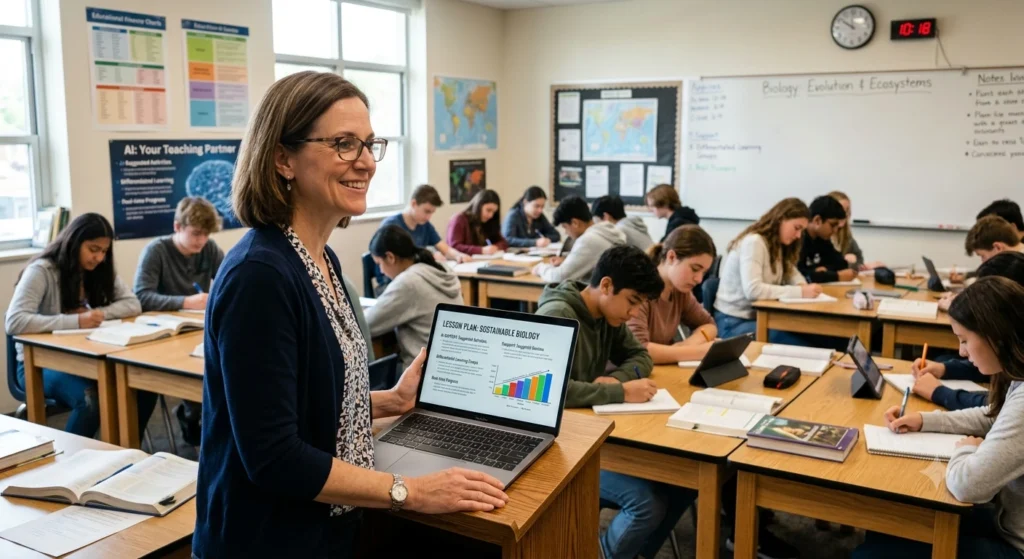
I remember spending entire weekends creating differentiated worksheets for a mixed-ability class of thirty-five students. That kind of manual differentiation is still important pedagogically, but it no longer has to consume an entire weekend. This is one reason the role of AI in classroom teaching has grown so quickly.
Personalised Learning
Every experienced teacher knows that a single lesson rarely fits every learner. AI tools can generate multiple versions of the same material at different reading levels, allowing personalised learning without requiring a teacher to write each version by hand.
Reducing Teacher Workload
Lesson planning, quiz creation, and report writing take up hours that could be spent on direct interaction with students. AI for classroom teachers has become popular precisely because it shortens these administrative tasks, not because it replaces professional judgement.
Student Engagement
Interactive AI-powered quizzes, instant feedback, and gamified practice tend to hold student attention better than static worksheets, particularly with digital-native learners who are used to immediate responses.
Accessibility
AI in education examples increasingly include text-to-speech, simplified text generation, and translation tools that support students with learning difficulties or those learning in a second language.
Assessment
Formative assessment, the ongoing checking of understanding during a lesson rather than only at the end, benefits enormously from AI tools that can generate quick quizzes, exit tickets, or comprehension checks in seconds.
In summary: AI is becoming central to modern classrooms because it addresses real, everyday pressures, namely time, differentiation, engagement, and assessment, not because it is fashionable.
Benefits of AI in the Classroom
The use of AI in classroom teaching brings practical benefits when it is applied to specific, well-defined tasks. Below are areas where I have seen the clearest impact in real teaching contexts.
- Lesson planning: AI tools can draft a lesson outline based on a topic, grade level, and learning objective, which teachers then refine using their subject knowledge and knowledge of their students.
- Quiz creation: Tools like Quizizz AI can turn a block of text or a topic into a ready-to-use quiz in minutes, saving significant preparation time.
- Differentiated instruction: AI can rewrite the same passage at three or four reading levels, helping teachers support mixed-ability classes without duplicating hours of work.
- Language learning: Conversational AI tools allow students to practise speaking or writing in a target language and receive immediate, judgement-free correction.
- Writing feedback: Tools such as Grammarly can highlight grammar, clarity, and structure issues, giving students a first layer of feedback before a teacher reviews their work.
- Reading comprehension: AI can generate comprehension questions matched to a specific text, useful for teachers who want fresh material without hunting through textbooks.
- Formative assessment: Quick AI-generated polls or short quizzes help teachers check understanding mid-lesson and adjust their teaching in real time.
- Homework support: Students can use AI tools as a study companion for explanations, though this requires clear guidelines to avoid simply copying answers.
- Classroom participation: AI-based polling tools can give quieter students a way to contribute anonymously, which often increases overall participation.
25 Best AI Tools for Teachers (Free & Paid): A Classroom-Tested Guide
Real AI Use Cases in Education
The table below summarises common classroom tasks, the type of AI tool typically used, the benefit it offers, and where the teacher’s judgement remains essential.
| Classroom Task | AI Tool Example | Benefit | Teacher’s Role |
|---|---|---|---|
| Lesson planning | ChatGPT, Claude, MagicSchool AI | Saves time drafting objectives and activities | Reviewing accuracy and aligning with curriculum |
| Quiz and worksheet creation | Quizizz AI, Diffit | Generates practice material quickly | Checking difficulty level and relevance |
| Differentiated reading materials | Diffit, Claude | Produces text at multiple reading levels | Matching texts to individual student needs |
| Writing feedback | Grammarly | Flags grammar and clarity issues instantly | Teaching structure, argument, and voice |
| Language practice | ChatGPT, Khanmigo | Provides low-pressure speaking or writing practice | Modelling pronunciation and cultural context |
| Presentation design | Canva AI | Speeds up creation of visual classroom materials | Ensuring content accuracy and pacing |
| Attendance and record keeping | School management systems with AI features | Automates repetitive administrative tasks | Verifying data and following up on patterns |
| Personalised tutoring support | Khanmigo, Microsoft Copilot | Offers step-by-step guidance to individual students | Monitoring progress and intervening when needed |
This table is a useful reference for AI use cases in education, but it is worth remembering that every AI output still needs a teacher’s review before it reaches students.
Best AI Tools for Classroom Teaching
There is no single best tool. The right choice depends on the task. Below is an honest breakdown based on how these tools are typically used in real classrooms.
ChatGPT is strong for general lesson planning, brainstorming activities, and drafting explanations in different tones or reading levels. Use it when you need quick, flexible text generation.
Claude tends to produce longer, well-structured written content and handles nuanced instructions carefully, which makes it useful for drafting detailed lesson plans, rubrics, or parent communication letters.
Gemini integrates closely with Google Workspace, so it can be convenient for schools already using Google Docs, Sheets, and Slides for planning and collaboration.
Microsoft Copilot works well for schools built around Microsoft 365, particularly for drafting documents, summarising long texts, and creating presentations directly inside familiar Office tools.
MagicSchool AI was built specifically for teachers and includes ready-made templates for lesson plans, rubrics, and individualised education plan support, which reduces the need for heavy prompt writing.
Canva AI is best for creating visual classroom materials such as posters, slide decks, and worksheets quickly, especially useful for teachers without strong design skills.
Quizizz AI is the go-to choice when you need a quiz or formative assessment generated fast from existing text or a topic.
Khanmigo functions as an AI tutor and works well for guided, step-by-step student support, particularly in maths and reading.
Grammarly remains one of the most reliable tools for writing feedback, helping students catch grammar and clarity issues before submitting work.
Diffit specialises in generating differentiated reading materials at multiple levels from a single source text, which is genuinely useful for mixed-ability classrooms.
Practical tip: Rather than adopting every tool at once, pick one for lesson planning and one for student-facing practice. Mastering two tools well produces better results than experimenting with ten superficially.
AI for Classroom Management
Beyond lesson content, AI for classroom management is increasingly used to reduce administrative load.
- Attendance: Some school systems now use AI-supported facial recognition or automated logging, though privacy considerations mean many schools still prefer manual or simple digital attendance.
- Behaviour tracking: AI-supported systems can flag patterns in behaviour incidents over time, helping teachers and counsellors spot trends earlier than manual record-keeping might.
- Lesson organisation: AI can help structure a term’s worth of lessons into a coherent sequence, ensuring learning objectives build logically.
- Grading: AI can pre-score objective questions and provide draft feedback on written responses, which teachers then review and finalise.
- Communication: AI tools can help draft parent emails, newsletters, or report card comments, saving time while keeping the teacher’s final voice and judgement in control.
- Planning: Long-term curriculum mapping becomes faster when AI can suggest pacing guides based on a syllabus or set of standards.
The common thread across all of these uses is that AI handles the repetitive first draft, while the teacher retains the final decision.
How AI Helps Students
The classroom conversation often focuses on teachers, but students benefit directly too.
- Personalised feedback: Instead of waiting days for written feedback, students can get immediate suggestions on grammar, structure, or problem-solving steps.
- Accessibility: Text-to-speech, simplified language options, and translation support make classroom materials more accessible to students with learning differences or limited fluency in the classroom language.
- Language learning: Conversational practice with an AI tool offers a low-pressure space to try out new vocabulary and sentence structures.
- Revision: AI tools can generate practice questions or summarise dense material, supporting independent revision before exams.
- Writing support: Students can use AI to check clarity and structure, though teachers should guide students to treat this as a first draft check, not a replacement for their own thinking.
- Critical thinking: When used to question or challenge AI-generated answers rather than accept them blindly, students can actually strengthen their critical thinking skills.
- Self-paced learning: Adaptive AI platforms let stronger students move ahead while giving struggling students more practice on foundational concepts.
The key phrase teachers should keep in mind is “support, not substitute.” AI can help students practise and understand faster, but it should not do their thinking for them.
Challenges and Risks
Anyone who tells you AI in classroom teaching is risk-free is not being fully honest. The technology has real limitations, and a responsible approach requires naming them clearly.
Hallucinations. Generative AI tools can produce confident, well-written answers that are factually wrong. This is particularly risky in subjects like history, science, or law, where accuracy matters. Teachers must always verify AI-generated content before using it with students.
Plagiarism. Students may submit AI-generated work as their own. Schools need clear policies distinguishing acceptable AI-assisted work from academic dishonesty, and these policies should be taught explicitly, not assumed.
Bias. AI models are trained on large datasets that can reflect existing social biases. Content generated by AI should be reviewed for balanced representation and fairness, especially in subjects touching culture, history, or social issues.
Privacy. Many AI tools collect user data. Schools should review data policies carefully before allowing students to input personal information into AI platforms, and should prefer tools designed specifically for education with clear data protection commitments.
Over-reliance. If students or teachers lean on AI for every task, foundational skills such as independent writing or mental maths can weaken over time. AI should supplement effort, not replace it.
Digital divide. Not every student has equal access to devices or reliable internet at home. Relying heavily on AI tools for homework can widen existing inequalities unless schools plan for equitable access.
Teacher supervision. AI output always needs a human check. A teacher’s subject expertise and knowledge of their specific students remains irreplaceable.
Organisations such as UNESCO and the OECD have published guidance encouraging schools to adopt AI thoughtfully, with human oversight kept central to any classroom use. Their broader recommendation, that AI should support rather than replace sound pedagogy, matches what most experienced teachers observe in practice.
Best Practices for Using AI Responsibly
Based on classroom experience and teacher training sessions, here are practical recommendations for using AI responsibly in schools.
- Start small. Choose one or two tools and one or two use cases before expanding further. Trying to overhaul your entire teaching practice with AI at once usually leads to burnout, not efficiency.
- Always verify content. Treat every AI-generated fact, explanation, or quiz question as a draft that needs checking, not a finished product.
- Teach AI literacy explicitly. Students should understand what AI can and cannot do, including its tendency to make mistakes confidently.
- Set clear classroom policies. Define what counts as acceptable AI use for homework and assessments, and communicate this clearly to students and parents.
- Protect student privacy. Avoid inputting identifiable student information into general AI tools, and prefer education-specific platforms with stronger data protections.
- Keep human judgement central. Use AI to draft, suggest, and speed up tasks, but keep final decisions about grading, feedback, and behaviour management with the teacher.
- Address equity. Consider which AI-dependent tasks might disadvantage students without reliable access to technology at home.
- Review regularly. Periodically assess whether the AI tools you are using are actually saving time and improving learning outcomes, and be willing to drop tools that are not delivering value.
Frequently Asked Questions
How can AI be used in education?
AI can be used in education for lesson planning, generating quizzes and worksheets, providing personalised feedback, supporting differentiated instruction, assisting with classroom management tasks like grading and communication, and offering students accessible, self-paced practice.
How is AI used in schools?
Schools use AI across teaching and administration, including adaptive learning platforms, AI-assisted grading, automated communication drafts, attendance systems, and AI tutoring support for students who need extra practice outside class time.
How AI can help students?
AI helps students by giving immediate feedback on their work, offering accessible learning materials such as simplified text or translations, supporting language practice, and enabling self-paced revision that adjusts to their current level of understanding.
What is the use of AI in education?
The use of AI in education is to support, not replace, effective teaching. It reduces administrative workload for teachers, personalises learning experiences for students, and provides faster feedback loops than traditional methods often allow.
Will AI replace teachers?
No. AI can automate repetitive tasks and generate draft materials, but it cannot replace the relationship building, professional judgement, classroom management, and contextual understanding that experienced teachers bring to a classroom.
Is AI safe for students?
AI can be safe for students when schools choose education-focused tools with strong privacy protections, supervise usage closely, and teach students how to evaluate AI output critically rather than accept it without question.
Which AI tool is best for teachers?
There is no single best tool. ChatGPT and Claude work well for general lesson planning and writing tasks, MagicSchool AI is built specifically for teacher workflows, Quizizz AI suits quick assessment creation, and Diffit is strong for differentiated reading materials. The right choice depends on the specific task.
Conclusion
AI in the classroom is not about replacing good teaching. It is about giving teachers back time and giving students faster, more personalised support. The schools and teachers getting the most value from this technology are not the ones using every available tool, but the ones who start small, choose one or two tools that solve a real problem, and evaluate honestly whether those tools are actually improving teaching and learning.
If you are just beginning, pick a single task, such as lesson planning or quiz creation, try an AI tool for a few weeks, and see what changes. Keep your professional judgement at the centre of every decision. AI works best as a capable assistant standing beside an experienced teacher, not as a replacement for one.